Everything about time, one click from the menu bar
No Dock icon and no window to manage. Click the date in your menu bar and it's all there.
Your cities at a glance
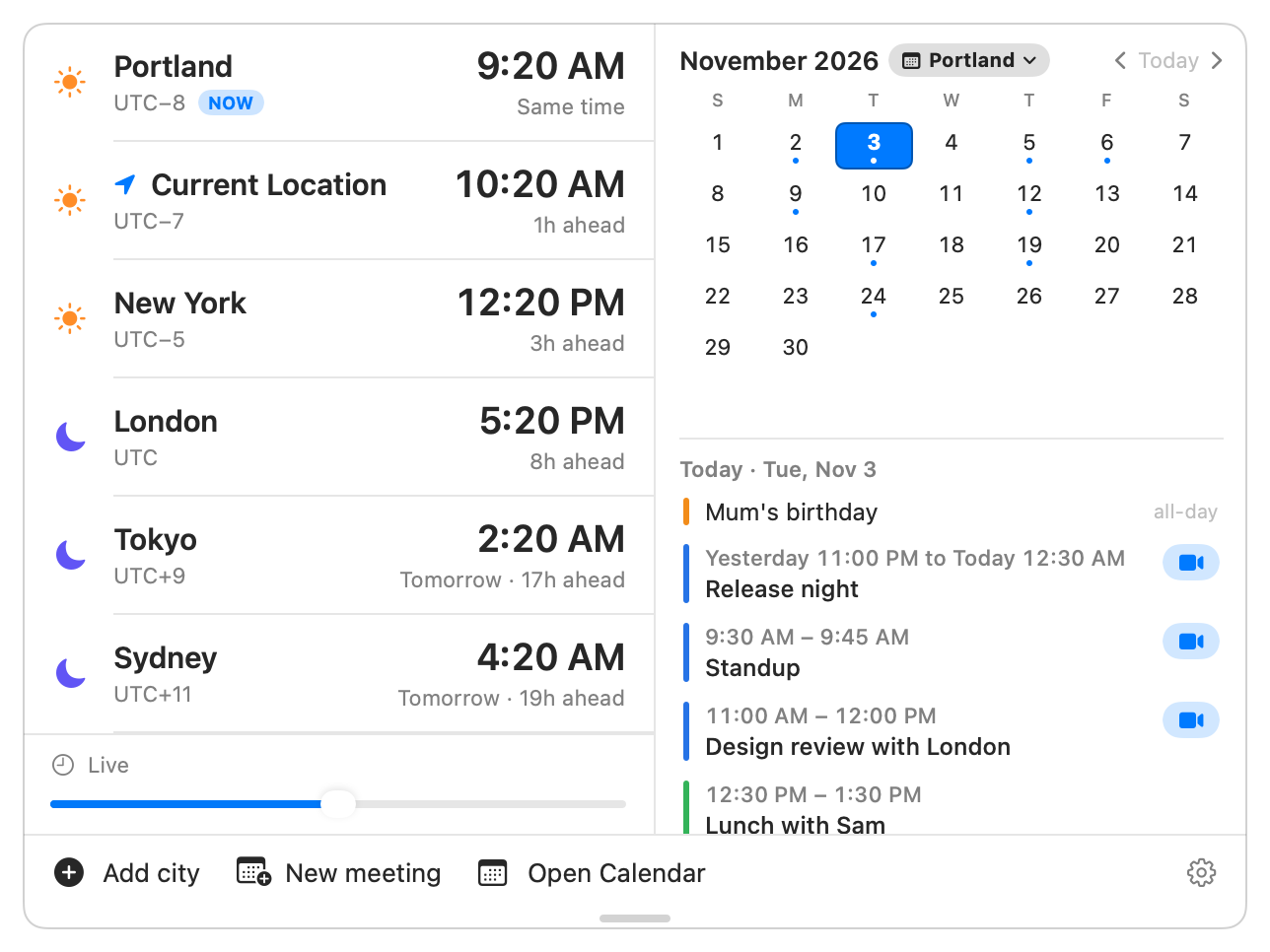
Each city shows its time, how far ahead or behind it is, and whether that's tomorrow or yesterday.
- A real sun and moon. Day and night come from each city's actual sunrise and sunset, so a summer evening in Stockholm still shows a sun.
- 34,000 cities. Type "portland or" or "paris france" and TZed picks the right time zone for you.
- Your names. Call a city "Mum", "Office" or "Sarah (Berlin)". Renaming never changes the zone.
Time travel
"When it's 9 AM in Tokyo on Tuesday, what time is it for everyone else?" Move time and every city follows.
- Slide up to 24 hours forward or back in 15-minute steps.
- Set an exact time in any city by clicking its time.
- Click a day or an event in the calendar to jump straight to it.
- Reset brings everything back to now in one click.
Your calendar, beside your cities
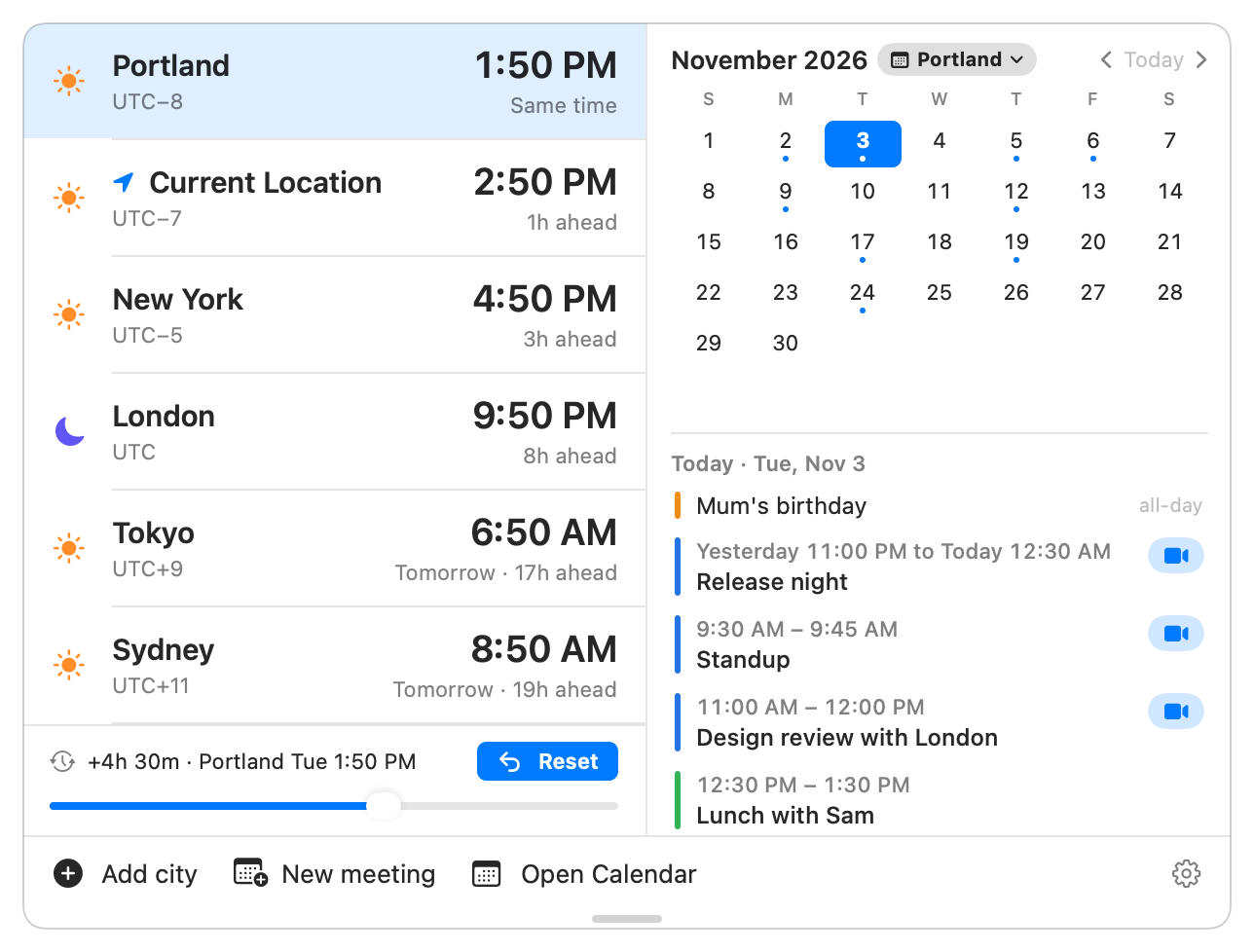
TZed shows your Apple Calendar events next to your cities: iCloud, Google, Microsoft 365 and anything else your Mac's Calendar knows.
- Join in one click. Zoom and Teams open straight in their apps. Google Meet, Webex and FaceTime links work too.
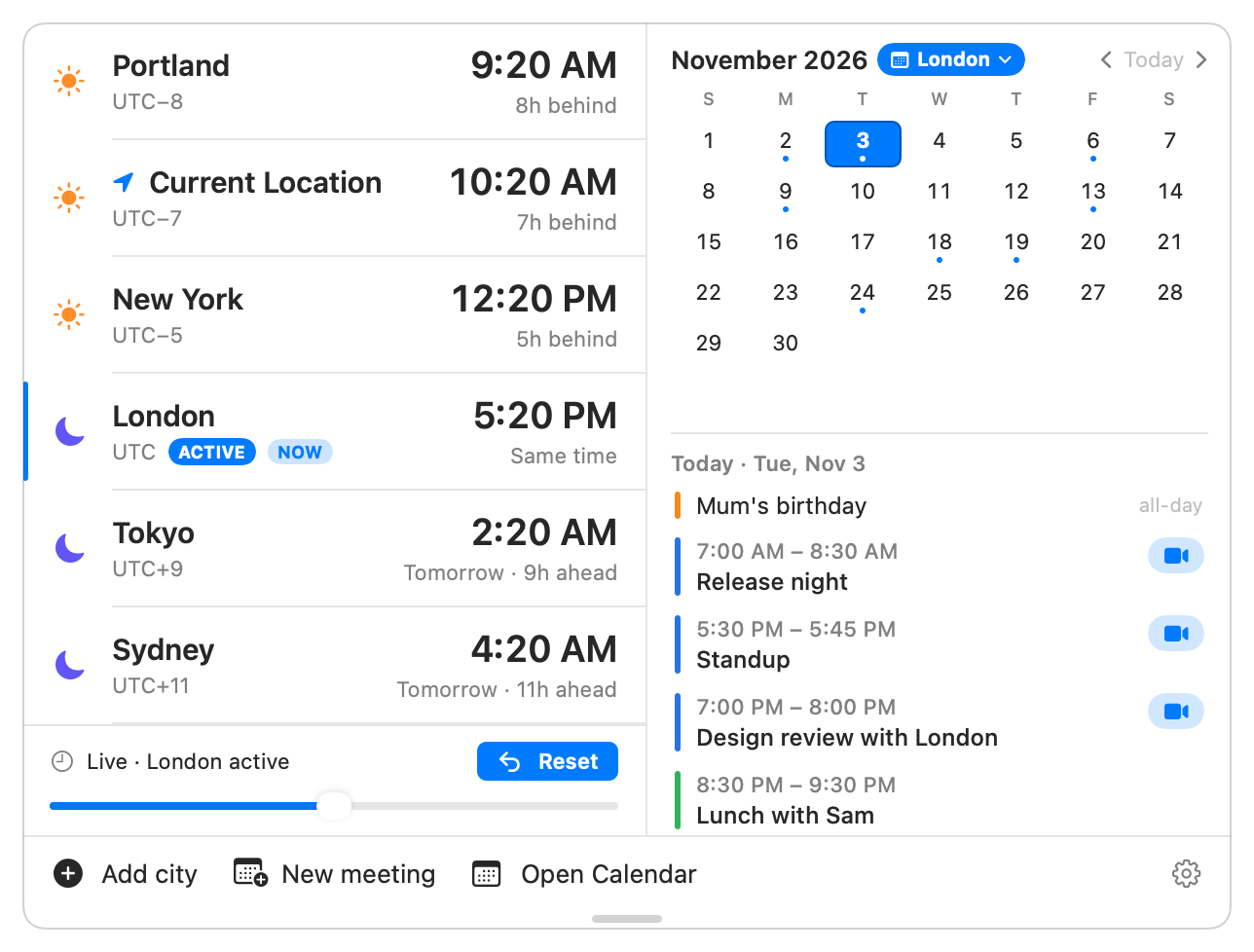
- See it from their side. Click London and the offsets, the calendar and the event times all switch to London's point of view.
- Click an event to see when it starts for everyone.
A meeting time that's fair to everyone
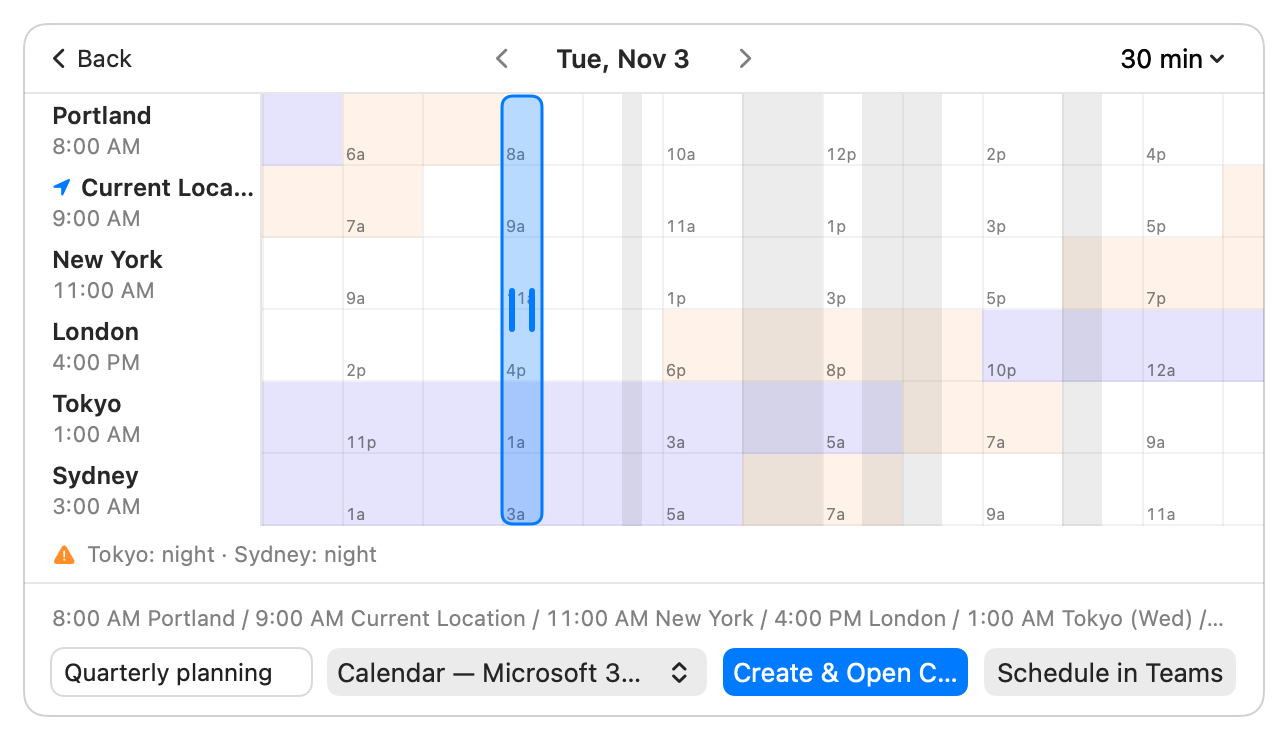
New meeting lays out the whole day for every city side by side. Drag the band until nobody's up at 3 AM.
- Color shows the hour. Clear for working hours, orange for early or evening, indigo for night.
- Your busy times are shaded, so free slots are obvious.
- It tells you straight: "Works for everyone", or "Tokyo: night · Sydney: night".
- Create it in any calendar, with every city's time in the notes. Microsoft 365 calendars get a Schedule in Teams button.
A reminder you can't miss
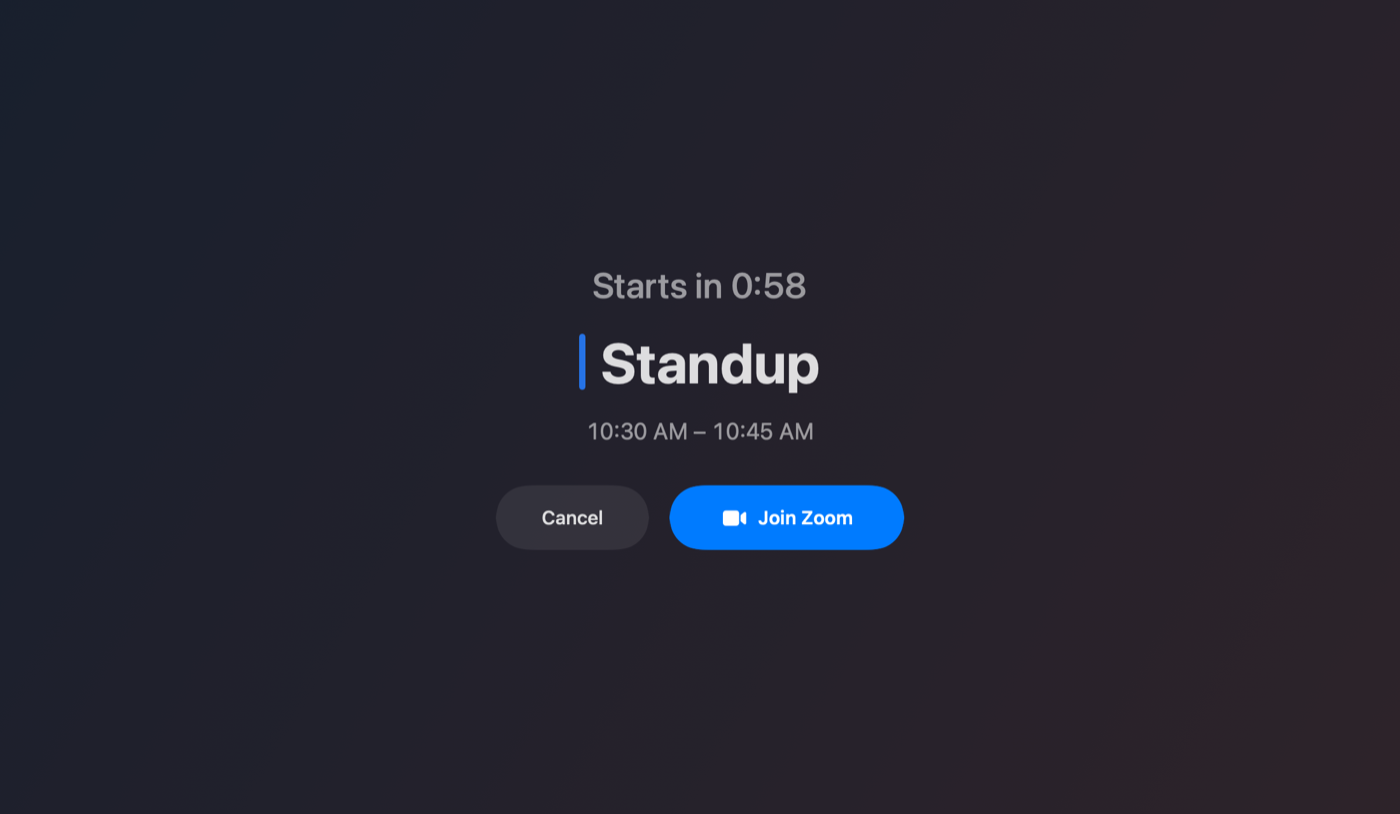
A minute before a call starts, TZed covers your screen with a countdown and a Join button. Press Return and you're in. Press Esc and it's gone.
A menu bar item that earns its space
Choose what TZed shows up there.
- Date: a badge with the day, then the date.
- Time in a city: "New York 3:21 PM", for when your Mac's clock already shows yours.
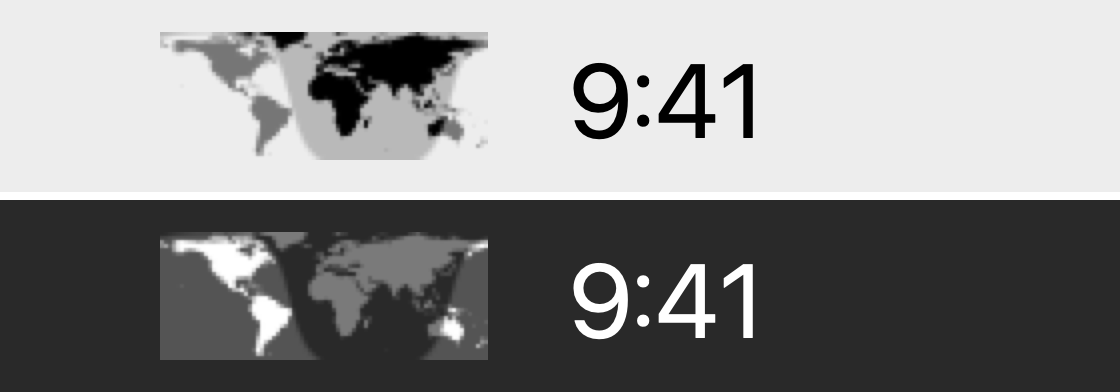
- Day and night map: a tiny world map that moves with the sun.
- Icon only: a globe, nothing else.
- Next meeting, if you want it: the title and a countdown appear in the last hour before a call. Option-click to join.


The sky, on your desktop
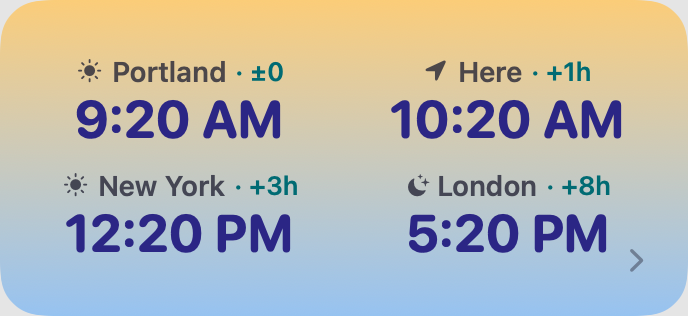
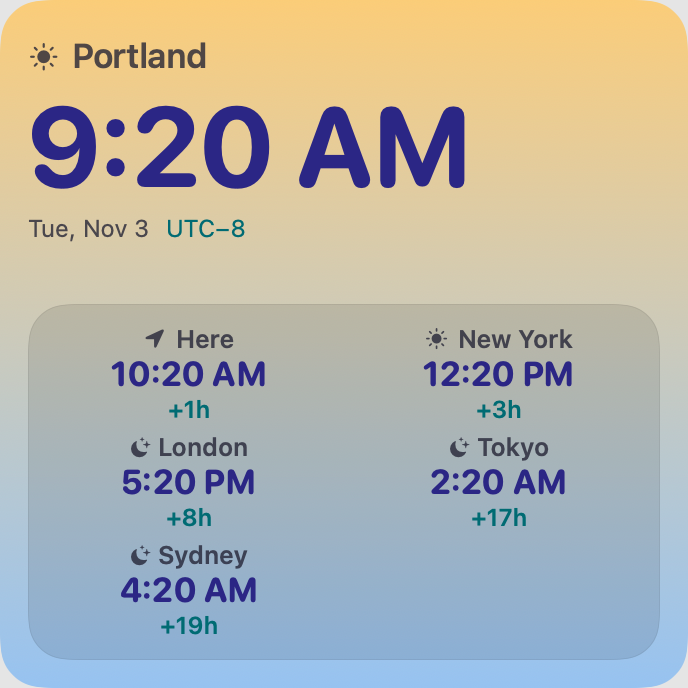
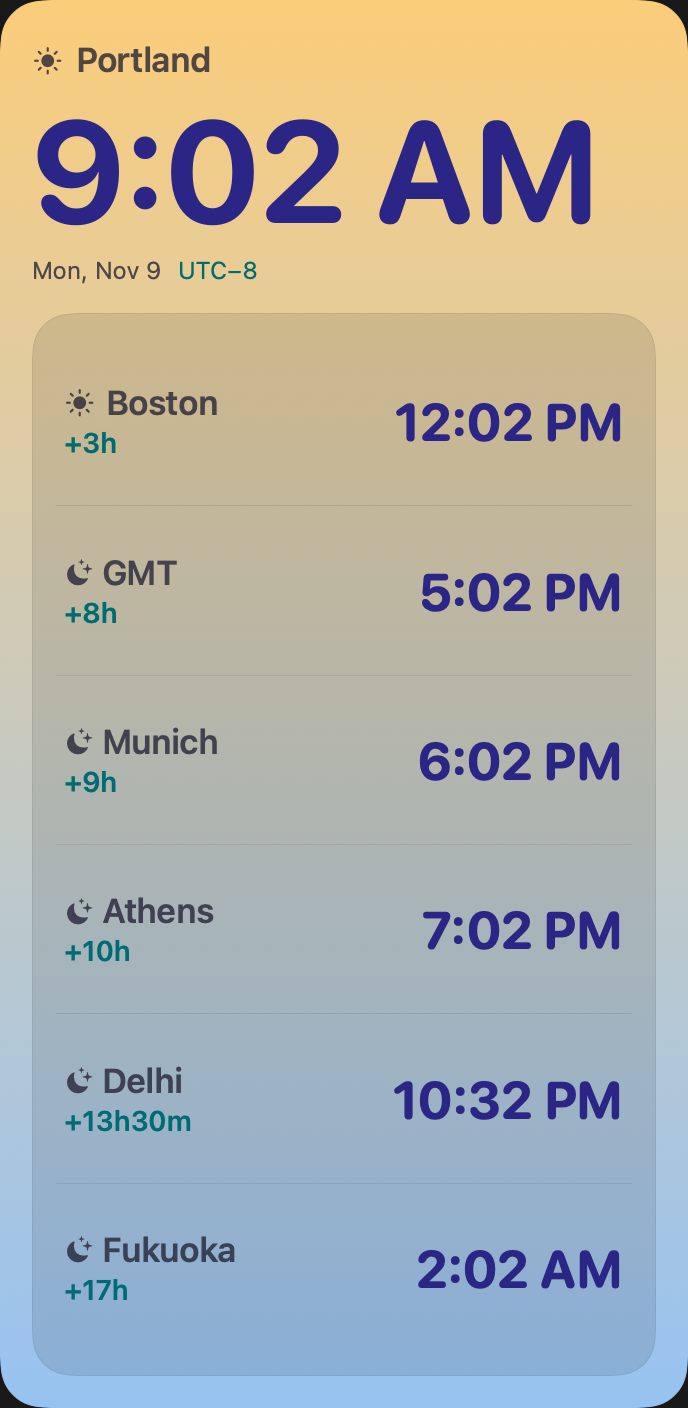
Each widget's background is the sky over your home city right now, following the real sun: deep indigo at night, coral at dawn, gold around midday, purple at dusk.
The same cities, in your pocket
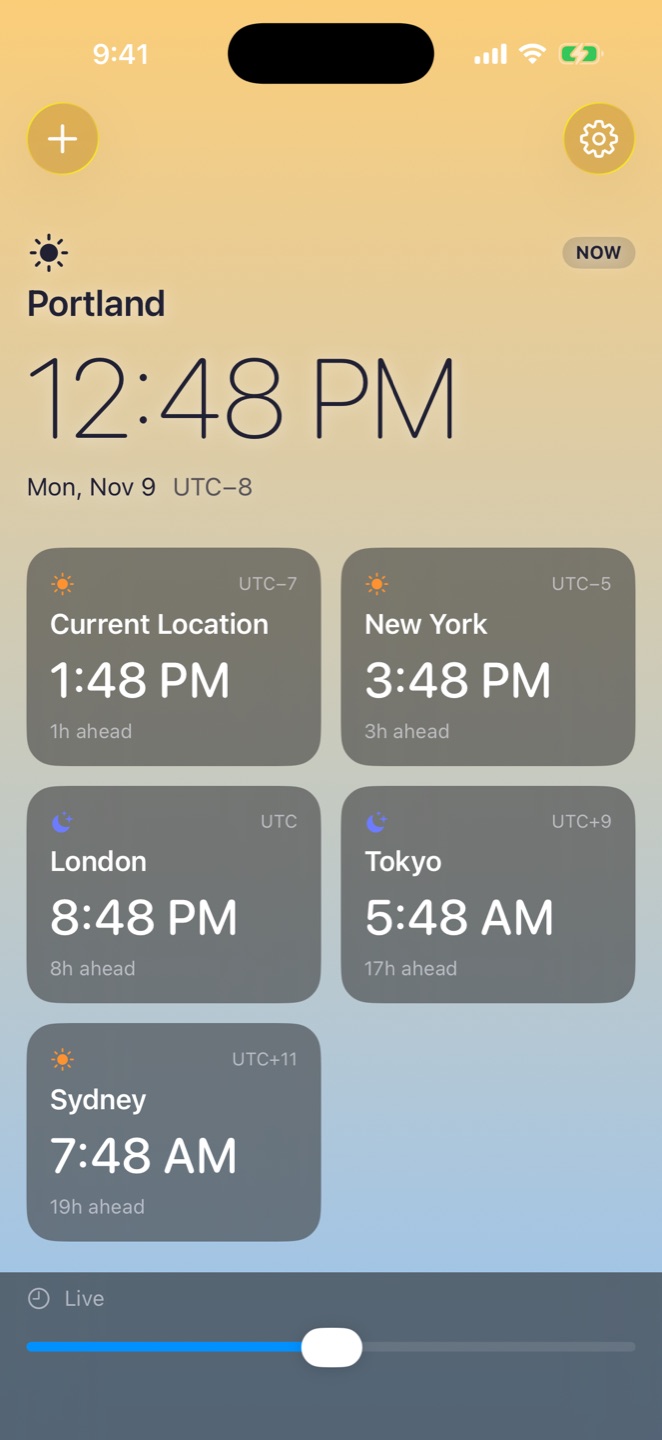
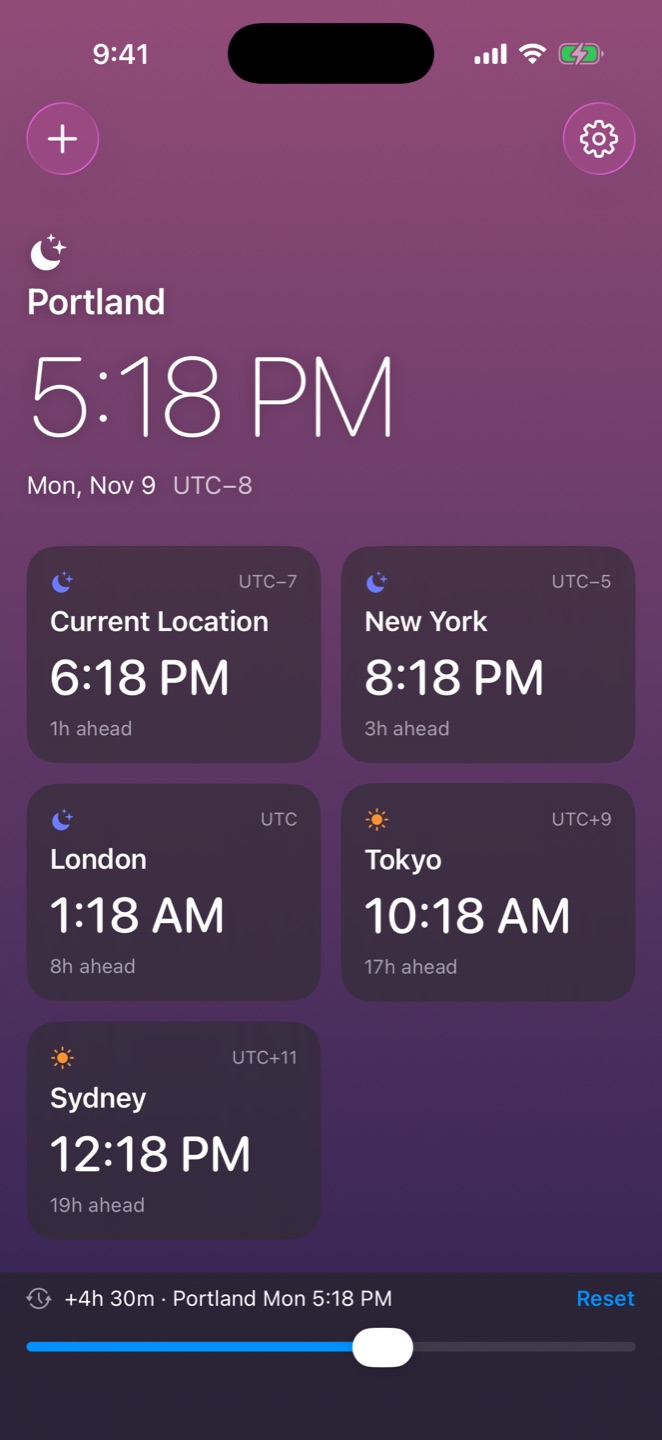
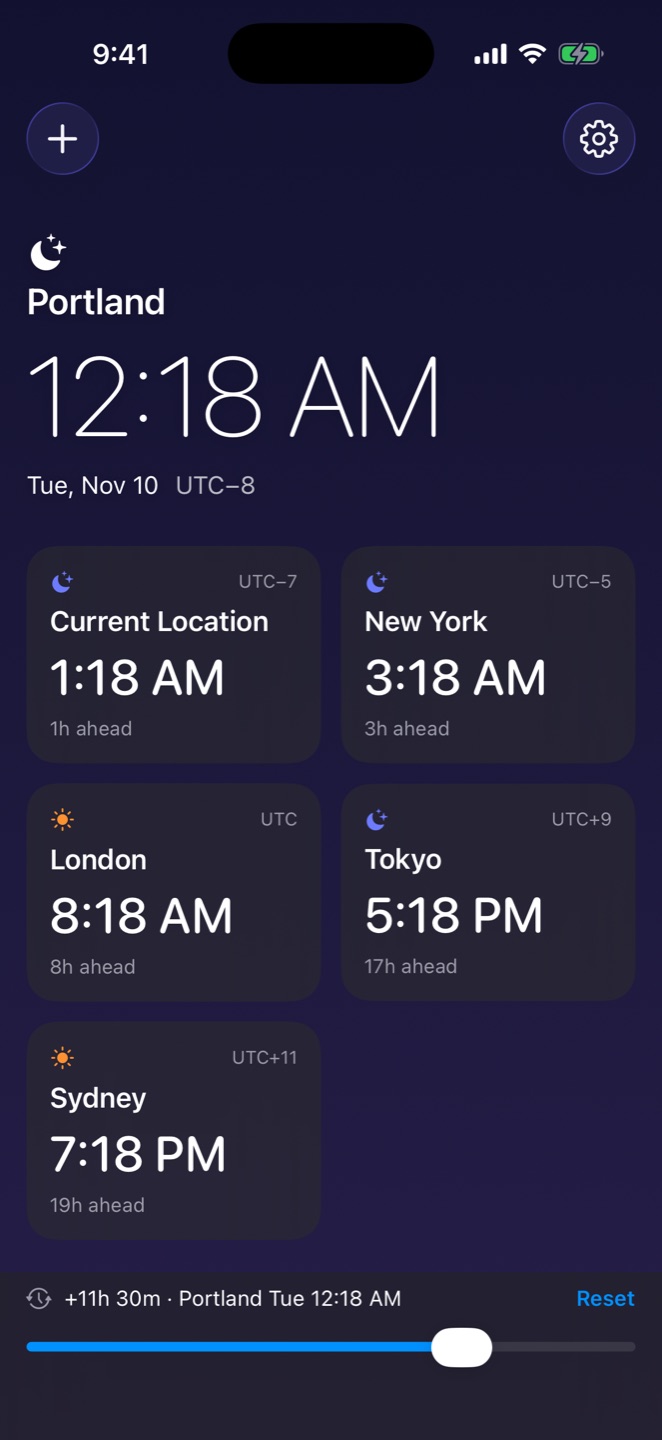
Your cities sync between Mac and iPhone through iCloud. The whole screen wears the sky, and it changes as you slide through the day.
It minds its own business
No Location Services
Current Location comes from your Mac's own time zone setting. When you land somewhere new, TZed follows without ever asking where you are.
No account passwords
TZed reads your calendars through macOS, the same ones Apple's Calendar app shows. It never asks you to sign in to anything.
Asks only when you ask
Calendar access is requested when you click Show My Calendar, never at launch. Say no, and cities, widgets and sync all still work.
iCloud sync
Your cities, their names, your Home city, their order and 12 or 24-hour time stay in step across every Mac and iPhone on your iCloud account.
Updates you can trust
The Mac app keeps itself up to date, and checks that each update is signed by its developer and notarized by Apple. Nothing installs without you.
Out of your way
It lives in the menu bar. The popover stays open while you check something in another app, and closes when you tell it to.
TZed is in beta
It's being tested on Mac and iPhone now. In the meantime, the user guide covers everything the Mac app does.
Mac: macOS 14 Sonoma or later. iPhone: iOS 17 or later.